

Armored Battle Crew - Spawning Units
- chen wei ren
- Jun 17, 2019
- 3 min read
Updated: Jul 2, 2019
Let's take a quick look at how units are spawned in the editor!

Each map or level supports multiple missions. All missions in a level are managed under Game Director Loader.
On level load, the Game Director Loader will choose the right mission to be activated.

Each mission comes with a corresponding Game Director.
Game Director acts as a manager to manage the following:
- Spawn Points for the player
- Cut scene information (Camera position etc)
- Defend Zones (Area where enemy and ally troops need to fight for control)
- Spawn Areas (Area where enemy or ally is spawned)
- Population Caps (Ensure the amount of enemy and ally are capped for balancing and optimization reasons)
- Builds (List of type of units available to be spawned)
- Secondaries (Set of secondary objectives available to be called and issued)

Defend zone is shown as a large blue circle in the editor.
Defend zone has the following properties:
- Defend Points (Shown as small green circles) where enemy or ally troops will go to and take up position
- May come with a Victory Point where enemy or ally troops will fight to gain control over it

Spawn Area, where units are spawned, are marked by small red or blue circles.
Units will be distributed randomly among the spawn area.

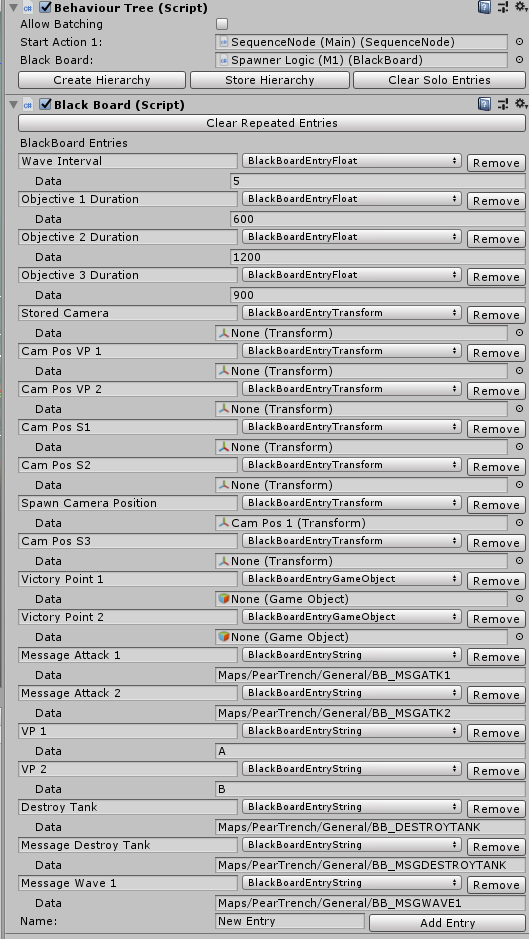

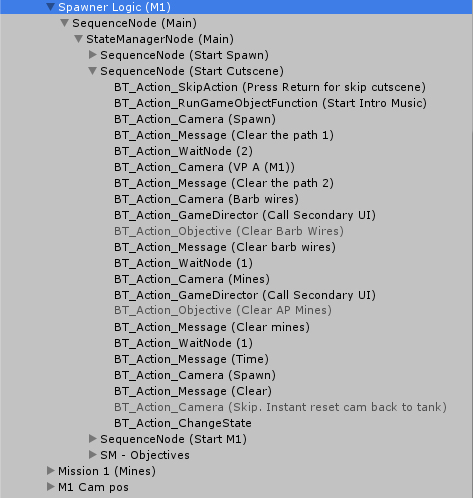
Under each Game Director, there will be a Behaviour Tree (named Spawner Logic in this case). The Behaviour Tree serves as the brain of the game and it will execute a list of actions and conditions.
Behaviour Tree contains the following:
- Sequence Node (All actions and conditions in it are executed in a linear fashion. Useful for scripted events such as cutscene)
- State Manager (Contains a list of state and state changing conditions. Useful for objectives)

As mentioned earlier, the Game Director comes with a list of Builds.
Build holds the information needed to spawn units in the level. The most important information are the type of units to spawn, the assigned defend zone and the spawn area.
Each Build comes with the following setting:
- Custom Name (Called externally to spawn the units set in the Build)
- List of Actions
Each Action in the Build comes with the following:
- Custom Name (For easy referencing)
- Spawn Manager (Spawn Manager is the guy with the logic to spawn stuff. Usually one for enemy, one for ally)
- Spawn Group (A group of units available to be spawned)
- Selected Squad (Each Group comes with a list of squads. The selected squad is the one the spawn manager will spawn when called)
- Action Spawn Areas (Control which spawn areas to be used)

Action Spawn Areas contains the info needed to spawn the squad.
Action Spawn Areas comes with the following:
- List of Defend Zones (if more than one is selected, it will randomly choose one of them)
- List of Spawn Areas (if more than one is selected, it will randomly choose one of them)
- Pop Cap Index (The population cap to be used, if any)

To call for a unit to be spawn, a custom Action is needed. In this case, the Action is called BT_Action_GameDirectorSpawner.
BT_Action_GameDirectorSpawner has the following properties:
- Spawn Type (There are multiple ways to call for a spawn. Use a custom name or index. Use a random name or by difficulty)
- Spawn Index (int)
- Spawn Name (string)
- Random Spawn Name (Use one of the spawn names instead)
- Difficulty Spawn Name (Use the spawn name corresponded to the difficulty index (0 is easy, 1 is medium, 2 is hard))


Comments